September 21, 2026·Product
Announcing Medusa Search
Stevche Radevski

Stevche Radevski
Full-text and semantic search, built into Medusa and available on all Medusa Cloud plans.

Search is undoubtedly one of the most important features of any e-commerce store.
Until now, getting good search into a Medusa project meant adding another system. You picked a search vendor, wrote code to keep its index in sync with your products, set up billing with a second company, and learned a second dashboard.
Today, we are releasing Medusa Search – a search engine built into the Medusa framework and managed by us on Medusa Cloud. Keyword and semantic search share one API, seeding and keeping data up-to-date is done with few lines of code, and it integrates seamlessly with the rest of your application. It is available on all plans starting today.
How it works
Medusa now comes with a Search module, and Medusa Search is simply a provider of that. Locally, the same module runs on Postgres, so you can develop against it without any external service. When you deploy to Medusa Cloud, it switches to Medusa Search with no configuration.
Defining an index is simply adding a file to the Copy to clipboardsearch folder in your Medusa project. It defines the name, fields, and synchronization mechanisms in one place, using syntax that is familiar to everyone who has used Medusa before.
1234567891011121314151617181920import { defineSearchIndex, search, graphConsume, graphSeed } from "@medusajs/framework/utils"const GRAPH_FIELDS = ['id', 'title', 'description', 'brand', 'min_price', 'embedding']const toProductDocument = (product) => { // converts a standard product to the model below }export default defineSearchIndex({name: "product",entity: "product",fields: search.define({id: search.keyword().filterable(),title: search.text().searchable({ weight: 3 }),description: search.text().searchable(),brand: search.keyword().filterable().facetable(),min_price: search.float().sortable(),embedding: search.vector(768).embed(),}),events: ["product.created", "product.updated", "product.deleted"],consume: graphConsume<typeof productFields>({fields: GRAPH_FIELDS,transform: toProductDocument,
With that you have an index that gets created, seeded, and automatically kept up to date. Consuming the index can be done in two ways - You can use the already-built Copy to clipboardstore/search Instantsearch-compatible endpoint, or you can use Copy to clipboardquery.search the same way you would query any other data in medusa with Copy to clipboardquery.graph.
Keyword, semantic, and hybrid
Keyword search covers what you expect from a commerce search engine: typo tolerance, faceting and filtering, highlighting, per-field weights, and per-field language settings such as stemming and stop words, and all of those work great for search.
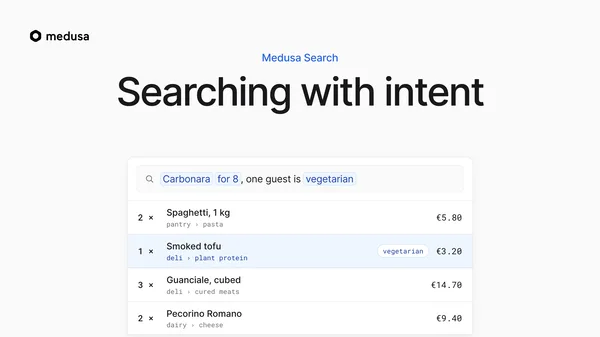
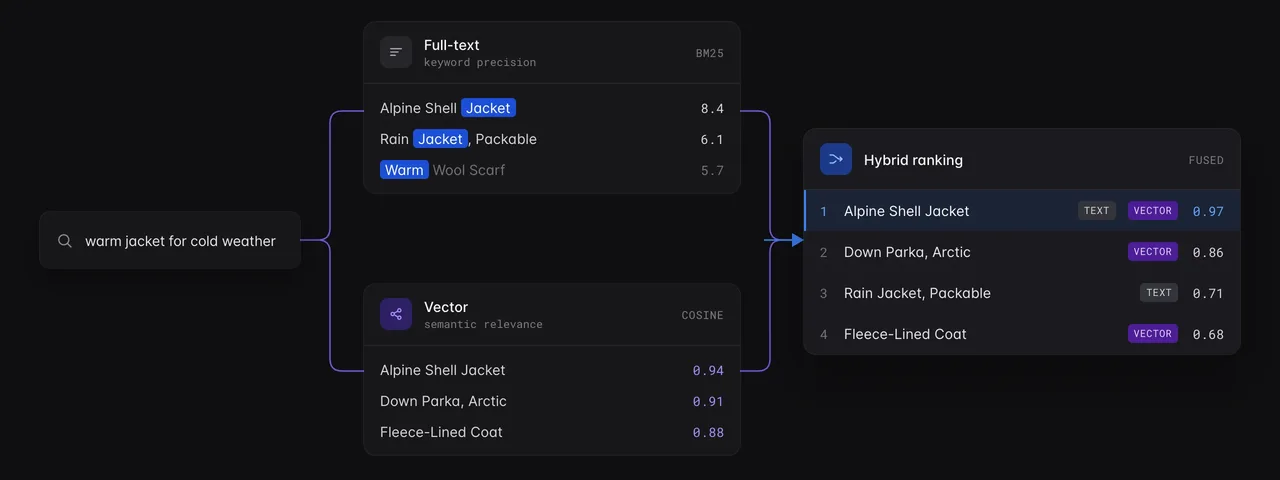
However, search has evolved to capture customer intent in a way than was not possible before. Semantic search matches on meaning instead of exact words. A query like "warm jacket for cold weather" finds a shell jacket even when those words do not appear in the title. This is now a first-class citizen in Medusa Search.
Hybrid search runs both in one query and blends the scores, while you get to control how much weight each side gets. In practice, this means you can start with keyword search and add semantic search to the same index later, without changing how your storefront queries it.¹
Search analytics
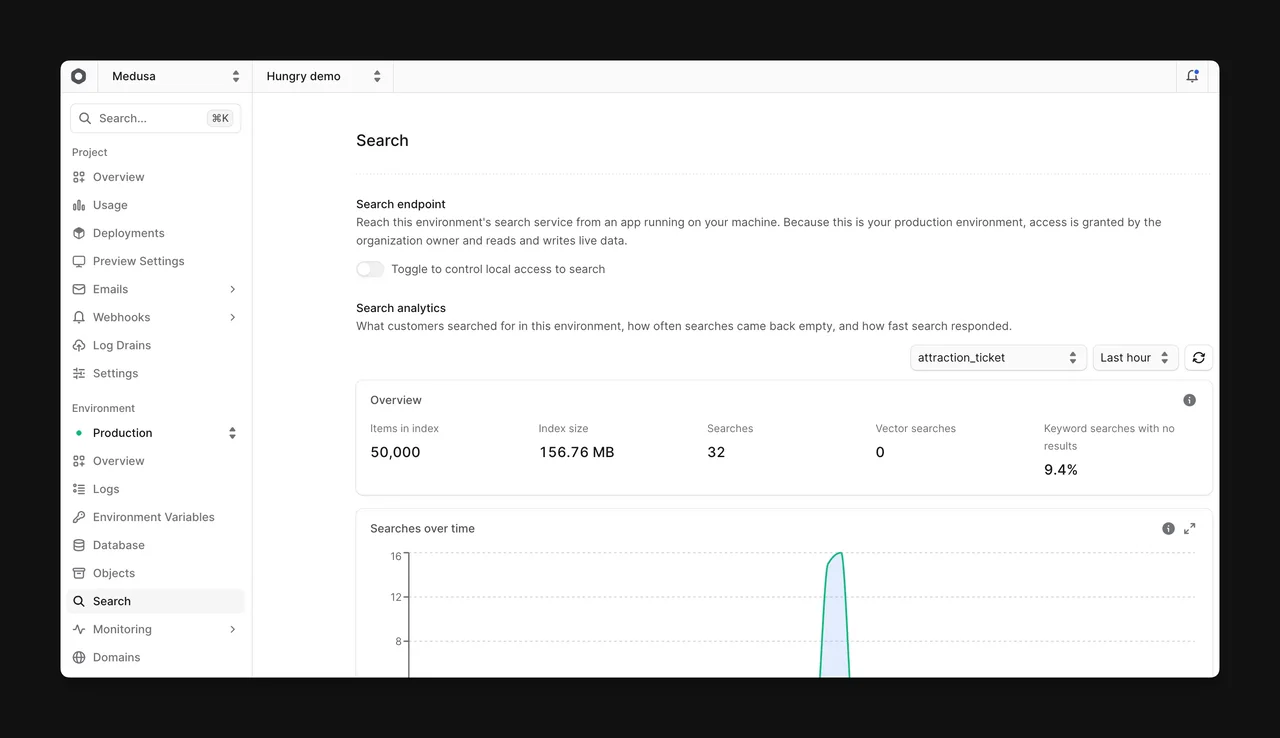
A functional search serves the needs of your customers, but it doesn't tell you what customers care about. Our built-in dashboard give you insights in exactly that - what customers search for, and more importantly, what they failed to find. The Search page in your environment shows searches over time, how many came back with no results, and how fast they were answered, with median and tail latency for keyword and vector queries separately.² This can help you guide promotions, improve product descriptions, and overall cater better to your customers for improved conversion.
Pricing and availability
Medusa Search is available today on every Medusa Cloud plan, and every plan includes 10,000 free-text search requests per month. Beyond that, free-text requests cost $20 per 100,000. Vector requests cost $40 per 100,000, with 10,000 included on the Scale plan. Medusa-managed embeddings are offered on the Enterprise plan, fine-tuned for your needs.
Get started
Try it first: the search box on https://medusajs.com/search runs on Medusa Search against a demo catalog. To add it to your own project, follow the getting started guide in the documentation.
If you build with an agent, copy the following prompt and it will set up search in your project for you.
1Fetch https://medusajs.com/search and set up search
One less system to run, and one less bill to reconcile. Medusa Search is another step toward making Medusa Cloud the fastest way to build and operate Medusa applications.
¹ Semantic and hybrid search are available on the Scale and Enterprise plans.
² Advanced search analytics are available on the Scale and Enterprise plans.