April 10, 2026·Product
Announcing Custom Backend Domains
Stevche Radevski

Stevche Radevski
Custom Backend Domains allow you to present a branded experience to users, developers, and agents.
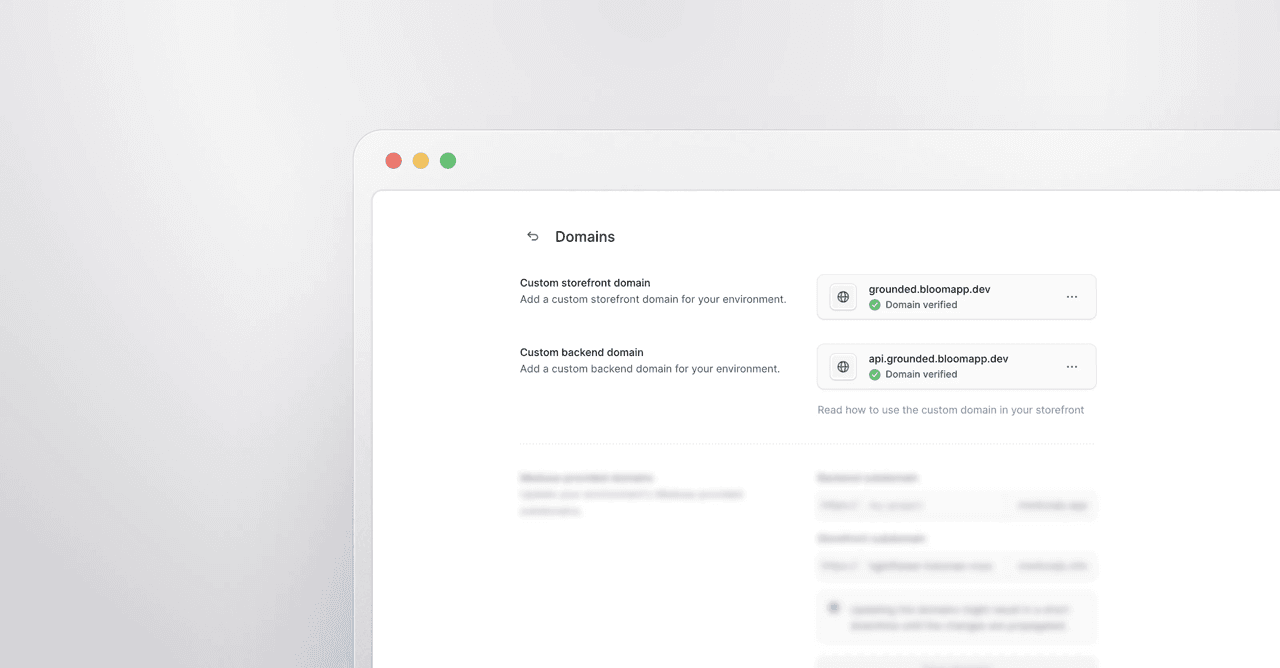
You can now use your own domain for your Medusa backend on Medusa Cloud. Custom backend domains let you serve your backend and admin dashboard from a branded URL instead of the default medusajs.app subdomain.
This builds on the custom storefront domains we already support, giving you full control over how your commerce stack presents itself to customers, admin users, and API consumers.
Why custom backend domains matter
Your backend URL is visible in API requests, admin dashboard URLs, and webhook configurations. A branded domain like api.acme.com reinforces trust and keeps your infrastructure consistent with your brand.
Custom backend domains are useful for:
- Presenting a branded admin dashboard URL to your team
- Presenting a branded API to developers and agents
- Meeting internal requirements around domain ownership and branding
How it works
Setting up a custom backend domain takes a few steps in the Medusa Cloud dashboard. You need a domain registered with a provider that supports CNAME records and access to your DNS settings.
From your project's environment settings, navigate to the Domains section and add your custom backend domain. The setup flow walks you through adding the required DNS records with your domain provider. Status indicators in the dashboard let you track propagation progress.
Once DNS changes have propagated, update the backend URL in your storefront's environment variables and redeploy. Your storefront will continue working on the original subdomain during propagation, so there is no downtime during the switch.
Availability
Custom backend domains are available on Scale and Enterprise plans. Check our pricing page to learn more about our plans and upgrade.
Get started
Head to your project's environment settings in Medusa Cloud to set up your custom backend domain. For a full walkthrough, see the custom domains documentation.