November 24, 2026·Product
Announcing Role-based Access Control
Nicolas Gorga

Nicolas Gorga
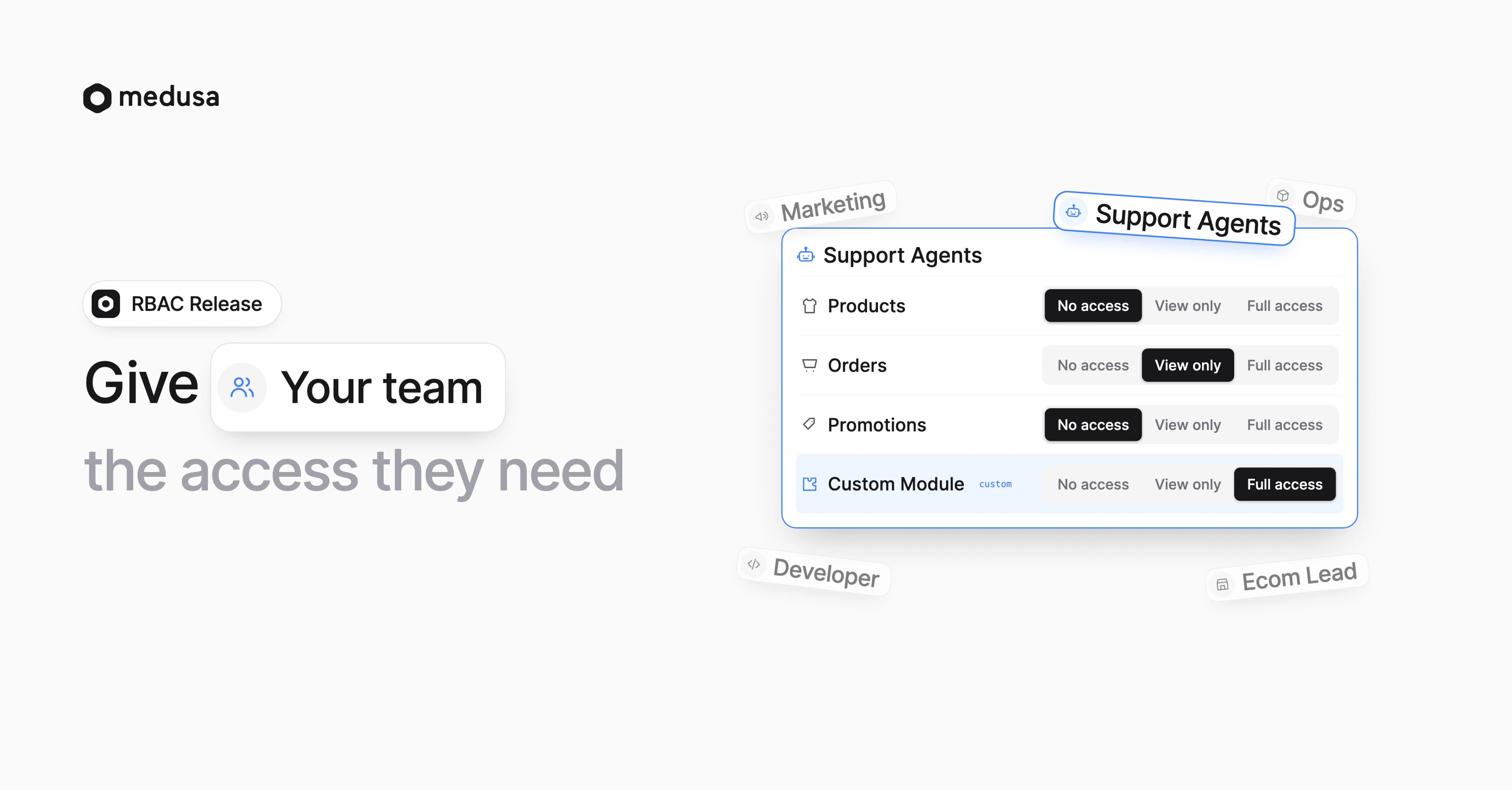
Role-based access control (RBAC) is now available in Medusa. Define roles, assign them to admin users, and control what each person can view and change in your store.
Role-based access control (RBAC) is now available in Medusa. Define roles, assign them to admin users, and control what each person can view and change in your store. RBAC is included at no extra cost in all Scale and Enterprise plans on Medusa Cloud, and is available for self-hosted stores through Medusa's Enterprise Edition. Reach out at medusajs.com/contact to get access if you self-host.
We are also introducing RBAC in Medusa Cloud to manage roles and permissions for the team responsible for building and deploying your store.
RBAC in your store
Until now, every admin user in a Medusa store had full access. With RBAC, you group permissions into roles that fit your business needs. Medusa comes with a set of pre-defined permissions you can use to get started. You can also create your own permissions for custom entities you may have added in your application.
RBAC covers both the built-in commerce features and your own customizations:
- Roles and policies: Create roles and assign them to users in Medusa Admin
- Enforcement in the API and dashboard: Requests without the required policy fail with a Copy to clipboard
403, and the dashboard shows an Access Denied page. - Custom policies: Define policies for your own resources and guard their API routes.
- Admin customization checks: Show or hide content in your widgets and pages based on the user's permissions.
To protect a custom route, add the Copy to clipboardauthorize middleware:
123456789101112import { defineMiddlewares, authorize } from "@medusajs/framework/http"export default defineMiddlewares({routes: [{matcher: "/admin/vendors",methods: ["POST"],middlewares: [authorize({ resource: "vendor", operation: "create" })],},],})
Existing users keep their access. When you run migrations, Medusa creates a Super Admin role and assigns it to all current admin users. We recommend assigning roles as soon as RBAC has been installed.
Setting up RBAC
RBAC is an enterprise feature of Medusa, and Scale and Enterprise plans on Medusa Cloud include it for free. To start using RBAC, you need Medusa v2.21.0 or later. From v2.23.0, the RBAC Module is enabled by default.
To enable it in your store, update to a compatible version and redeploy your application on Medusa Cloud.
If you're running a self-hosted Medusa application and would like access to RBAC, reach out at medusajs.com/contact to learn more.
Roles for Medusa Cloud organizations
Separately, we are also introducing RBAC in Medusa Cloud. All organizations on Medusa Cloud can now assign a role to each team member. Three roles are available:
- Admin: Full access to the organization, its projects and billing.
- Developer: Manages projects, environments, deployments, variables and logs.
- Billing: Manages billing information, payment methods and invoices.
You choose a role when you invite a member and can change it later. Organization access keys also take a role, so you can limit what CI and scripts are allowed to do.
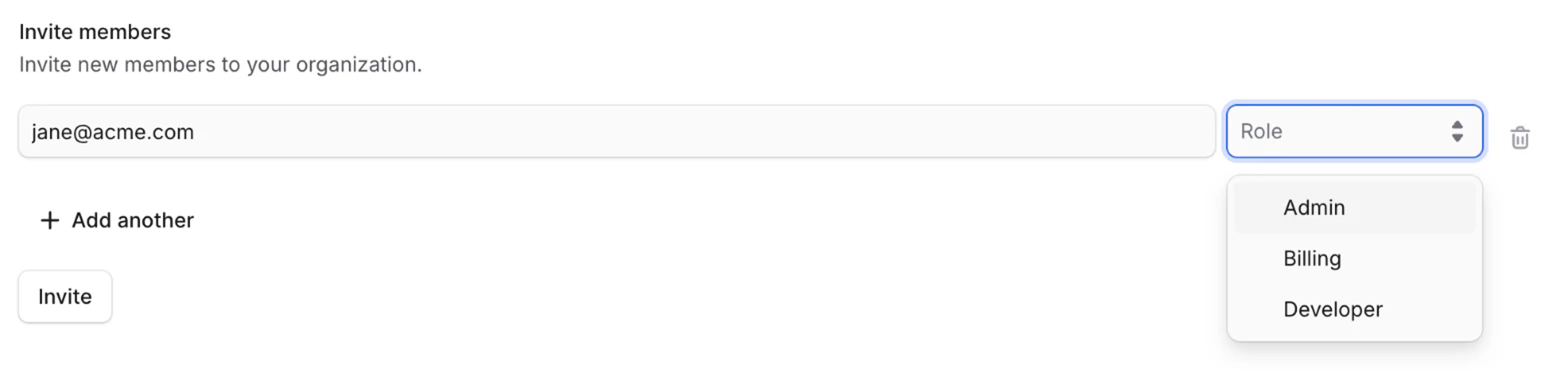
Existing members and access keys have the Admin role, so nothing changes until you assign a different one.
Get started
Read the RBAC documentation to set up roles in your application, or the user guide to manage them in Medusa Admin. Cloud roles are available in your organization's settings today.