August 21, 2026·Product
Log Drains in Medusa Cloud
Pedro Guzmán

Pedro Guzmán
Medusa Cloud now supports log drains, letting you stream backend and storefront logs from your projects to any observability platform in real time.
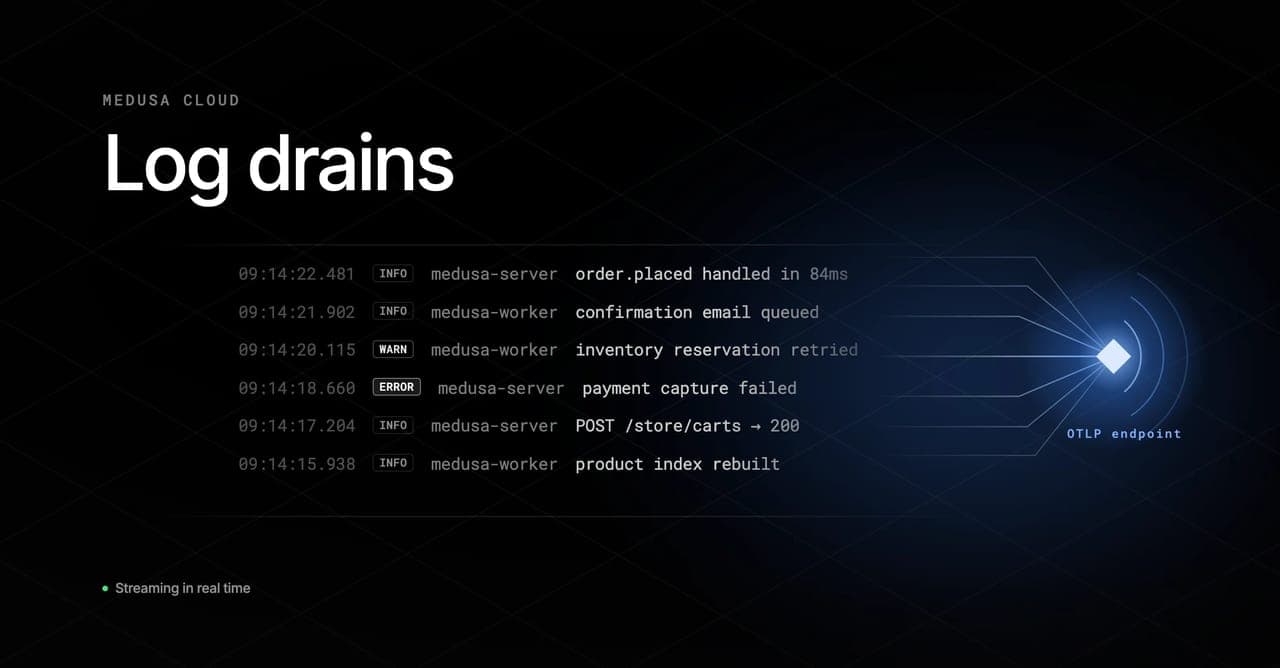
Medusa Cloud now supports log drains, letting you stream backend and storefront logs from your projects to any observability platform in real time.
Until now, your Medusa Cloud logs lived in the platform and nowhere else. If you were already sending logs from your other services to Datadog, Grafana, or another platform, Medusa was a blind spot. Log drains close that gap by forwarding your project logs directly to wherever the rest of your observability data already lives.
How log drains work
Log drains streams logs from your store to your observability platform transparently, without the need to configure anything at application level. Logs are streamed by Medusa Cloud's infrastructure, which guarantees that your application isn't impacted by it, and adds reliability instead of application crashes or downtimes in your observability platform
Adding a log drain
- Open your project in the Medusa Cloud dashboard and go to Settings > Log Drains.
- Select Create log drain.
- Choose a provider: Sentry, Datadog, Grafana, Google Cloud Platform, or a generic OTLP endpoint.
- Enter your endpoint URL and authentication headers.
- Set your log level. This is useful e.g. if you only want to forward warnings and errors in order to generate alerts.
- Choose the environments the log drains will be active on.
- Attach resource attributes to all your logs. These can be static strings, built-in variables like Copy to clipboard
${_service_name}, or any environment variables you have configured like Copy to clipboard${YOUR_ENV_VAR}. - Save and redeploy your environments for the drain to activate.
Availability
Log drains are available as an add-on on Scale and Enterprise plans.
Get started
Head to your project settings in the Medusa Cloud dashboard and open the Log Drains section. The documentation covers provider-specific setup and available resource attribute built-in variables.