August 18, 2026·Product
WooCommerce to Medusa MCP migration tool
Shahed Nasser

Shahed Nasser
Easily migrate your store data from WooCommerce to Medusa using our new migration tool within the Medusa MCP.
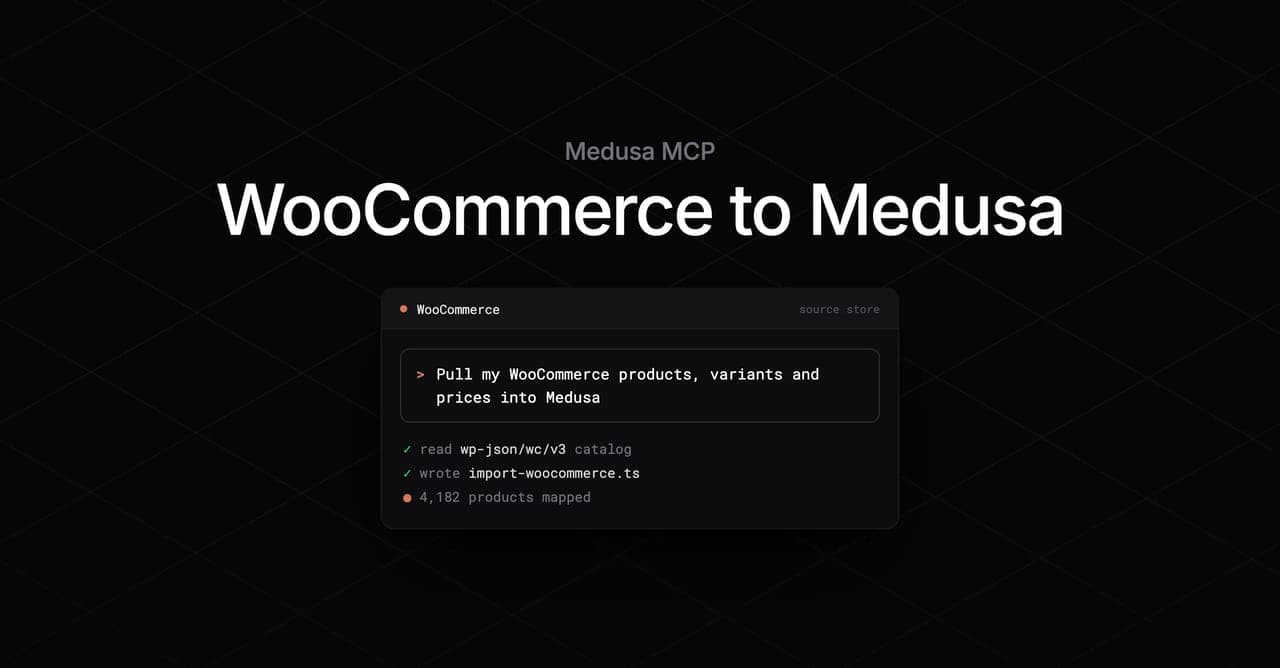
If you use Medusa Cloud, you may already be familiar with our MCP server to support your Medusa development. Now you can prompt your AI agent to migrate store data from WooCommerce directly into Medusa using the MCP with our newest migration tool.
By default, the tool migrates the following data types for you:
- Products, variants, prices, options, and images
- Inventory levels
- Categories and tags
Its instructions can also be extended to migrate other data types, such as orders and customers.
Other Migration Options
If you're not an MCP server user or you have questions about migrating from WooCommerce to Medusa, contact our team.
Why move from WooCommerce to Medusa
WooCommerce got a generation of stores online, but it's a commerce plugin on top of a 20-year-old CMS. Your catalog lives in WordPress posts and meta rows, your business logic lives in hooks and filters, and every capability you add is another plugin sharing one PHP process and one database with everything else. Teams building anything beyond a standard storefront end up maintaining a plugin stack instead of a product.
Medusa is the same commerce domain, rebuilt on a modern stack:
- Modern architecture: Medusa is a Node.js commerce platform built out of modules, workflows, and a documented REST API. Its server is headless, allowing you to connect storefronts and third-party services of any type to its APIs.
- Extensibility without workarounds:Medusa's Framework is built with customizations in mind. Extend core data models, build custom features, and hook into commerce flows using Medusa's native toolings and APIs.
- AI-native platform: Medusa's open source nature and AI toolkit (MCP server, skills, and AI-friendly CLI) support your AI development workflows to build and manage your store. This includes the migration itself.
- Managed hosting built for it: Deploy to Medusa Cloud and get preview environments, deployment rules, and monitoring, instead of tuning a WordPress host and an object cache to keep checkout responsive.
Why add a migration tool
If you're running your store on WooCommerce and you want to migrate to Medusa, you'll run into pitfalls handling source data and matching it into what Medusa expects.
This is even more the case if you're using plugins or extensions in WooCommerce that you or your AI agent can't decide on the best way to map into Medusa.
To make this process easier for you, our team has built prompts into the Medusa Cloud MCP server that provide your AI agent with a full migration plan. It includes caveats and common pitfalls to look out for, while allowing the agent to adapt to your custom use case.
What the migration tool does
When you describe what you want to migrate to an AI agent connected to the Medusa Cloud MCP server, it calls the migration tool and receives a complete, ordered implementation guide tailored for the data types you want to migrate.
The MCP server provides support for two migration approaches:
- Custom approach: Pulls data from WooCommerce's REST API. The import is idempotent and resumable, so it can be triggered on a schedule, from an admin page, via a CLI command, from a WooCommerce webhook, or other custom approaches. This migration also covers inventory levels, images re-hosted into Medusa's file storage, the full category tree, and WooCommerce's global attributes mapped onto shared Medusa options. You can also ask your agent to handle your custom plugins and extensions.
- CSV approach: Transforms your WooCommerce product export file into the format Medusa's built-in product importer accepts. Use this for a fast, one-time cutover when you can't create API keys on your WooCommerce store. It doesn't migrate inventory quantities, and images remain as URLs pointing to the WordPress site you're migrating off.
What the agent does with the tool
After calling the MCP server to get the migration plan, your agent:
- Asks which approach you want if you haven't specified one
- Builds the flows and customizations needed, or helps you prepare a CSV file for import, based on the approach you choose
- Guides you through running the import and verifying migrated data, and reports what didn't make it across
By the end of the prompt, you can import your catalog data from your source platform into Medusa.
Get started
Before you get started, you must create a Medusa Cloud organization to connect to the MCP server. It's also recommended to create a Medusa project that will hold your migrated data.
Then, in your AI agent, connect to the Medusa MCP server and prompt your agent with something like:
Migrate my WooCommerce store's products to Medusa.
Full details on supported platforms and data types are in the migration tool documentation.